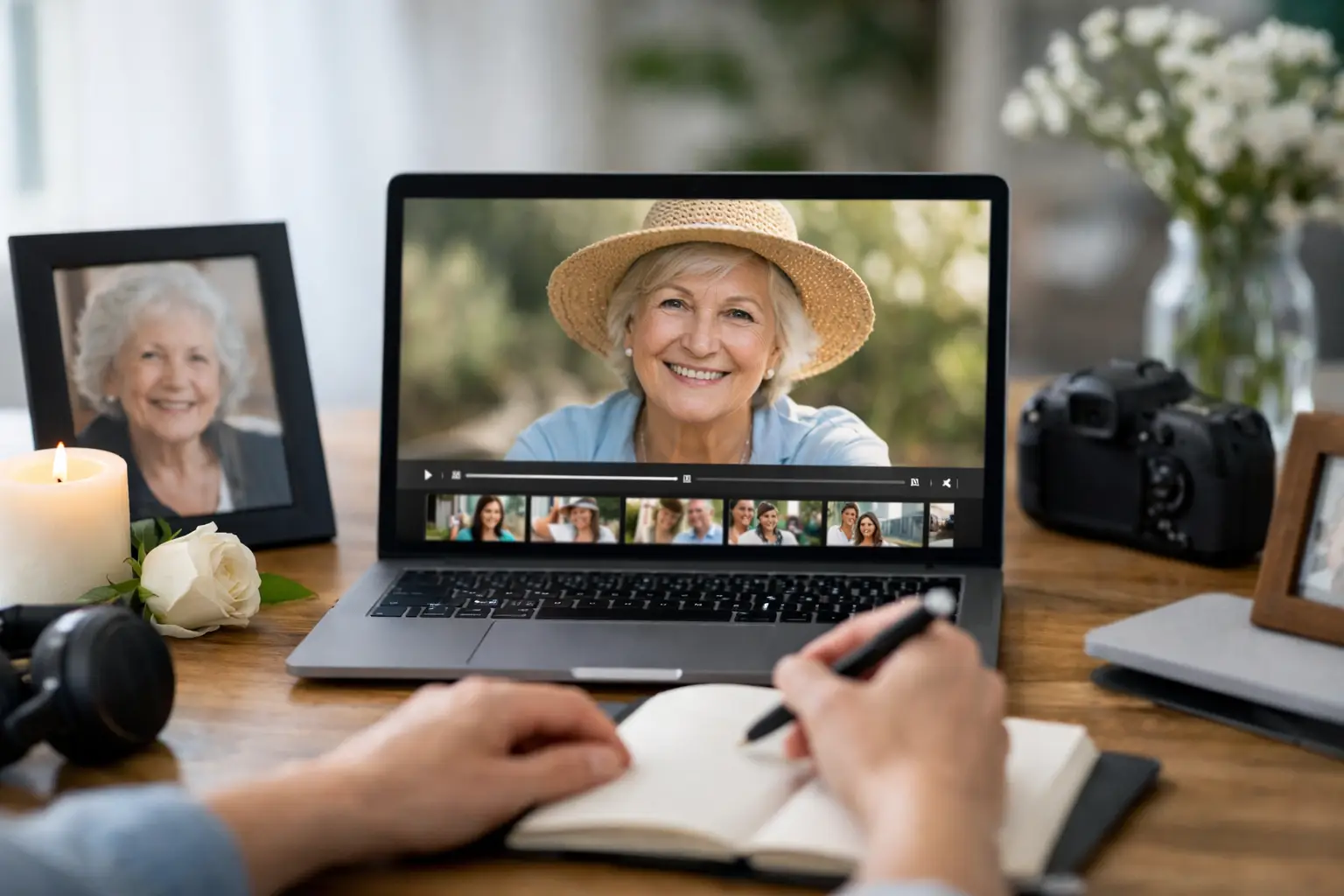
When families sit down to create a memorial video, the hardest part usually is not the software. It is deciding how to honor a full life in just a few minutes without making the process feel overwhelming. A strong memorial tribute video planning guide helps bring structure to an emotional task, so the final piece feels personal, respectful, and thoughtfully made.
A tribute video does more than display photos on a screen. At its best, it gives family and friends a shared moment to remember someone clearly – their expressions, milestones, humor, relationships, and quiet everyday presence. That is why planning matters. A little direction up front makes the video feel less rushed, more cohesive, and far more meaningful.
What a memorial tribute video should do
A memorial video is not a complete biography, and it does not need to cover every chapter evenly. Its job is to create an emotional throughline that feels true to the person being remembered. For some families, that means a warm and uplifting sequence centered on family life. For others, it may be more formal, faith-centered, or reflective.
This is where many people get stuck. They assume more photos, more songs, and more text will create a fuller tribute. Usually, the opposite is true. A cleaner edit with the right pacing often carries more weight than a long slideshow packed with every image available.
The question to ask is simple: what do we want people to feel and remember when the video ends? Once that answer is clear, the rest of the planning becomes much easier.
Memorial tribute video planning guide: start with the story
Before sorting files, define the story. Not a script in the formal sense, but a simple narrative shape. You might organize it around life stages, around relationships, or around the qualities the person was known for.
A chronological structure is often the easiest place to begin. Childhood, school years, marriage, parenthood, community involvement, holidays, and later life create a natural flow that most memorial audiences can follow easily. But chronology is not always the best choice. If someone was widely known for military service, church leadership, surfing, music, or a deep role in the local community, those themes may deserve stronger emphasis than a strict timeline.
There is also a practical trade-off here. The more ambitious the structure, the more editing care it requires. A thematic video can feel cinematic and deeply personal, but it works best when there is enough material to support it. If the family has a limited photo archive, a simple chronological format may be the strongest option.
Choose the right photos and video clips
Photo selection determines the emotional impact of the tribute more than any transition or visual effect. Start by gathering more than you need, then narrow down. Most memorial videos work best when they focus on images that show expression, connection, and recognizable life moments.
Try to include a balanced mix of portraits and candid images. Formal portraits help establish identity and key milestones, while candid images make the person feel present and familiar. A graduation photo matters, but so does a snapshot of them laughing at a backyard gathering or holding a grandchild.
Quality matters, but perfection is not required. Older images may be grainy, faded, or scanned from prints, and that is completely normal. What matters more is emotional relevance. If an imperfect image captures who they were, it belongs in consideration.
For length, a useful range is often 50 to 100 photos for a tribute running about 4 to 8 minutes. That is not a fixed rule. A service with a larger audience and a more formal program may allow for a slightly longer video, while a smaller, more intimate gathering may benefit from something shorter and tighter.
If you have home video clips, use them carefully. A few short moments of movement – waving, dancing, speaking, walking into frame – can add a powerful sense of presence. Too many long clips, however, can slow the pacing and make the video feel uneven.
Pick music that supports the room
Music shapes tone immediately. It is one of the most sensitive choices in any memorial tribute video planning guide because the right song can unify the whole piece, while the wrong one can feel distracting or overly sentimental.
Start with the setting. A memorial service held in a church, funeral home, beachside gathering, or private family venue may call for very different choices. Consider the audience too. A song that was personally meaningful to the individual may be the perfect fit, but only if it serves the mood of the room and the family is comfortable with it.
Instrumental music often works well because it allows the images to lead. Songs with lyrics can also be effective, especially when the words reflect faith, love, family, or legacy in a way that feels genuine rather than dramatic. If you use more than one song, make sure the tone change feels intentional. A sudden shift from solemn to upbeat can work, but only when it reflects the person honestly.
Keep text minimal and meaningful
Text should support the tribute, not compete with it. Usually, that means opening with the person’s full name, birth and passing dates, and perhaps a short phrase such as “In Loving Memory” or a favorite line that reflects their character.
Beyond that, restraint is usually better. Some families want captions identifying places, relatives, or life stages. That can help, especially for larger audiences or multi-generational gatherings. But too much on-screen text can make a memorial video feel busy.
If you plan to include a quote, obituary excerpt, prayer, or short message from the family, place it where it can breathe. A few well-timed text moments are more effective than paragraphs spread throughout the video.
Build around the service, not just the screen
A tribute video needs to fit the event plan. That sounds obvious, but timing issues are common. Ask where the video will play – before the service begins, during the formal program, at a reception, or as part of a celebration of life montage running in the background.
Each option changes how the video should be edited. A centerpiece video shown during the service should be focused and intentional. A looping reception video can be longer and more flexible, because guests may watch in segments rather than all at once.
You also need to think about technical logistics early. Confirm the screen size, sound system, file format, and who will press play. A beautiful video can still create stress if no one has tested the audio or if the venue equipment is unreliable. This is one reason many families choose professional help. Reliable planning matters just as much as creative execution when the day itself is already emotionally full.
Why professional editing can make a difference
Families often begin this process thinking they can assemble the tribute themselves in a slideshow app. Sometimes that works, especially for a very simple presentation. But when the video needs to feel polished, cinematic, and ready for a service, professional editing usually creates a noticeable difference.
The value is not just visual quality. It is the ability to shape pacing, color-correct older scans, blend photos and clips cleanly, time moments to music, and deliver a finished file that plays properly at the venue. Just as important, it removes pressure from the family during a difficult week.
For Oahu families planning a memorial or funeral service, working with a team that understands both storytelling and event logistics can help the process feel far more manageable. Creative Media Production LLC approaches memorial coverage with that balance of care, professionalism, and dependable delivery, which matters when timing and sensitivity are equally important.
Common mistakes to avoid
The most common mistake is trying to include everything. A tribute becomes stronger when it is curated. Another issue is waiting too long to gather materials, which leads to rushed choices and file problems the night before the service.
Music mismatches are also common. A song may be personally loved but still feel too fast, too lyrical, or too emotionally heavy for the setting. Finally, many DIY videos suffer from inconsistent image timing. When some photos flash by and others linger too long, the audience feels the edit rather than the story.
A steady pace, thoughtful sequence, and respectful tone will usually matter more than fancy effects. Clean storytelling wins here.
A simple way to make decisions when emotions are high
If your family is struggling to choose what to include, narrow every decision through three filters: does this image feel true to them, does it support the tone of the service, and does it help people remember something real? That approach cuts through a lot of uncertainty.
No memorial video can capture every memory, every relationship, or every season of a person’s life. That is not a failure of the format. It is simply the nature of tribute. The goal is to create a piece that feels dignified, personal, and steady enough to hold the room for a few meaningful minutes.
If you are planning one now, give yourself permission to keep it simple, thoughtful, and well-made. People will not remember whether it used elaborate effects. They will remember whether it felt like the person they came to honor.